Custom Reporting & Automation
Reports that build and send themselves, on schedule, with your branding and without anyone copying and pasting numbers.
What Our Custom Reporting & Automation Service Covers
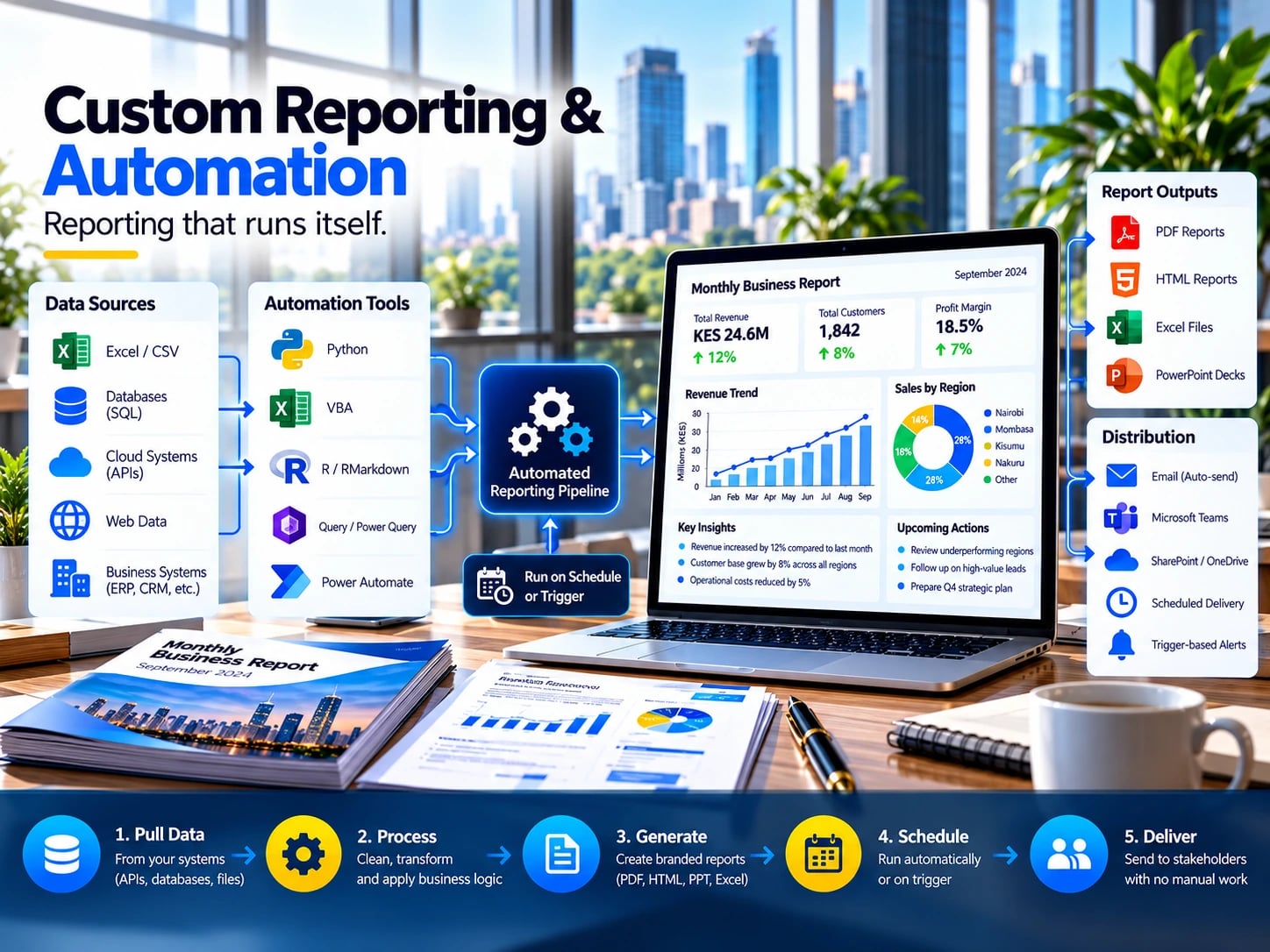
Reporting that runs itself, so your analysts stop spending the first week of every month rebuilding the same deck. We build generators in Python, R Markdown, Quarto, VBA and Power Automate that pull live figures from your systems, apply your branding, and distribute polished PDF or HTML reports to each stakeholder group on a schedule or on a trigger. Recurring commentary can be templated so the narrative writes itself and only genuine exceptions need a human. No copy and paste step exists anywhere in the chain, which is exactly why formatting drift and stale numbers stop appearing.

What's Included
Every engagement is scoped in writing, but these are the deliverables you can expect as standard.
Report templates
Branded PDF, HTML, Excel or PowerPoint layouts designed once and reused every cycle.
Data connections
Live links to your databases, spreadsheets and systems so figures are always current.
Automated generation
Python, R Markdown, Quarto, VBA or Power Automate workflows that build each report end to end.
Templated commentary
Narrative that updates itself from the data, highlighting only the exceptions that need a human.
Scheduled distribution
Delivery by email, Teams or SharePoint to the right audience, on a schedule or on a trigger.
Maintenance guide
Clear instructions for updating templates, recipients and schedules without touching the code.
Built for Teams Like Yours
If any of these sound familiar, this service is a good place to start.
- Finance teams producing monthly management packs
- Programme teams reporting to donors on a fixed cycle
- Operations teams sending daily or weekly status reports
- Any analyst spending days each month rebuilding the same deck
From Brief to Delivery
- 01
Audit current reports
We map how each report is produced today and where time and errors creep in.
- 02
Design the template
You approve the layout and content before any automation is built.
- 03
Automate and test
The workflow is built and run in parallel with your manual process until the outputs match.
- 04
Switch over
The manual process is retired and your team receives the maintenance guide.
Custom Reporting & Automation FAQs
Which tool will you use?
The one that fits your environment. Power Automate suits Microsoft shops, Python and Quarto suit more complex logic.
Can reports still include human commentary?
Yes. We template the routine narrative and leave clearly marked space for the judgement only a person can add.
What if our data sources change?
Connections are isolated in one place, so a changed source means updating one step rather than rebuilding the report.